
Agents & customizationAgents & models
Agents & customization
Agents and Models
Connect Papilot Writer or any of 16 coding agents, switch models mid-task and control per-agent task permissions.
Choose and switch agents and models#
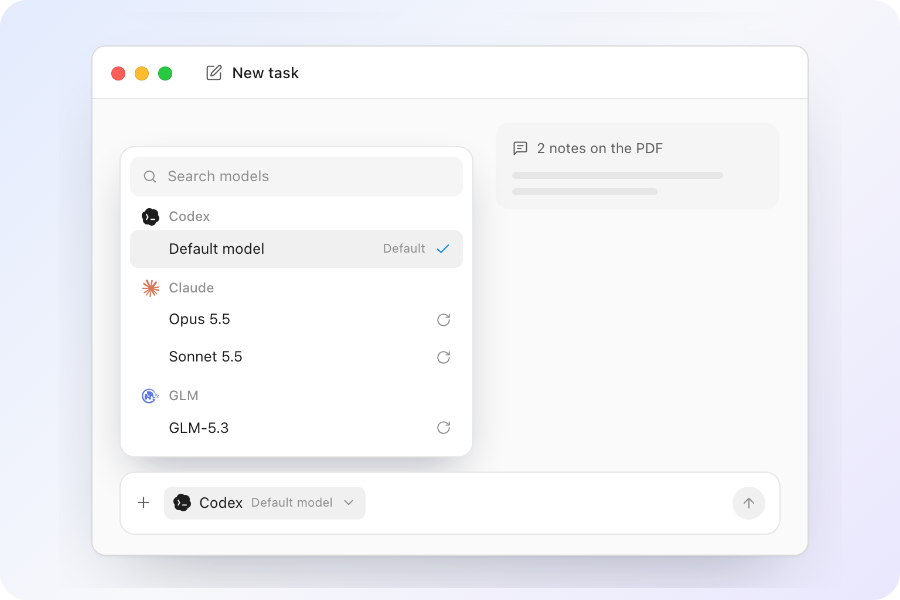
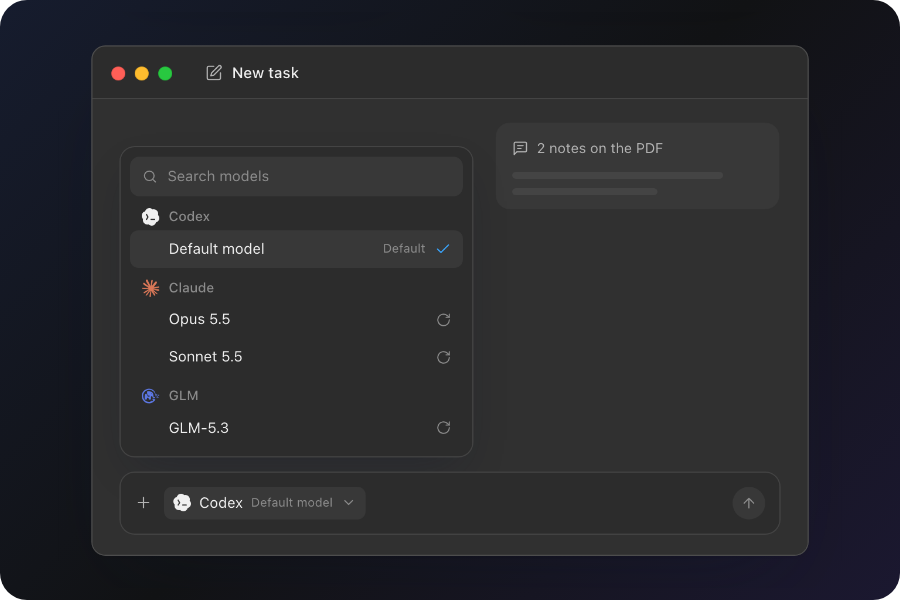
Every task runs on one agent and model chosen from the model picker below the chat composer:
- Supported roster: built-in Papilot Writer, 16 external coding agents (Pi, Codex, Claude, Cursor, GitHub Copilot, Grok, Antigravity, Kimi, GLM, ZCode, DeepSeek, Qwen, OpenCode, Qoder, CodeBuddy and WorkBuddy), plus opt-in experimental Collaboration mode and ChatGPT Pro (web) (Experimental Features).
- Search, effort, speed & visibility: models are grouped by agent with your recent choices at the top. Type to filter across connected agents, adjust Reasoning effort on the slider, and select Fast or Ultrafast where supported. In Settings → Agents, toggle individual agents or hide models from menus (Reset restores all); set Settings → General → Quick model to pin a fast model for background jobs such as citation checks and task titles.
- Seamless agent & model switching:
- Picking another model from the same agent applies it on the next turn in the same session.
- Picking a model from another agent hands the same task over to the new agent — keeping your conversation, proposed changes, review decisions and unsent draft in place, and passing prior requests and replies to the new agent on the next turn.
Set up an agent#
Open Settings → Agents to see every supported agent, its live status, detected models and setup steps. Papilot never stores third-party CLI passwords; CLI agents use their own login on the host computer, and environment-variable keys are passed only to their own adapter.
Important: after installing a CLI or signing in on the host, click Reconnect (or Refresh) in Settings → Agents. If you set or change environment variables (
ANTHROPIC_API_KEY,CURSOR_API_KEY, proxy variables, orPAPILOT_*_BIN), restart Papilot so the server process inherits the new environment.
Built-in paper agent#
- Papilot Writer (
papilot): included out of the box (powered by an embedded Pi SDK with paper-specific outline, reading-text search, reference lookup andview_pagestools; see Papilot Writer architecture). Open Settings → Agents → Papilot Writer to sign in with a ChatGPT Plus/Pro or GitHub Copilot subscription via browser OAuth, enter an API key for Anthropic, OpenAI, Google, OpenRouter, DeepSeek, xAI, Moonshot, Z.ai or Mistral (Anthropic requires an API key), or configure any OpenAI-compatible endpoint under Custom API. - Papilot Writer vs Pi: Papilot Writer is isolated in
PAPILOT_DATA/papilot-writerand does not load~/.piplugins. Selecting Pi runs your separately installedpiCLI (1.5.1+) with your own Pi providers, skills and extensions.
Host CLIs and API-key agents#
| Agent | How to set up on the Papilot host | Binary / key override | Notes & capabilities |
|---|---|---|---|
| Codex | Sign in via the Codex/ChatGPT app or codex login (papilot codex login on CLI). CLI papilot auto-installs Codex 0.164.0+ if absent; Desktop uses host codex or the bundled backend from macOS Codex.app/ChatGPT.app or Windows OpenAI.Codex. | PAPILOT_CODEX_BIN | Includes view_pdf so Codex can inspect typeset pages directly; shows ChatGPT plan usage windows when reported. |
| Claude | Install Claude Code and run claude auth login (uses your Claude plan or key via claude -p), or set ANTHROPIC_API_KEY (uses the Claude Agent SDK; custom gateways use ANTHROPIC_BASE_URL + ANTHROPIC_AUTH_TOKEN). | PAPILOT_CLAUDE_BIN, ANTHROPIC_API_KEY | Sandboxed edits on macOS/Linux/WSL; native Windows uses Accept edits without a command sandbox. |
| Cursor | Export CURSOR_API_KEY from the Cursor dashboard before starting Papilot (does not use Cursor desktop login). | CURSOR_API_KEY | Sandboxed to worktree with network off by default (Unrestricted available in Permissions). |
| GitHub Copilot | Install standalone CLI (npm install -g @github/copilot), run copilot login, then Reconnect. | PAPILOT_COPILOT_BIN | Runs copilot --acp --stdio (Default or Allow all). |
| Grok | Install Grok CLI, run grok login or set XAI_API_KEY, then Reconnect. | PAPILOT_GROK_BIN, XAI_API_KEY | Runs grok ACP (Default or YOLO). |
| Antigravity | Install agy CLI and sign in, then Reconnect. | PAPILOT_AGY_BIN, PAPILOT_AGY_PROXY | Shows 5-hour and weekly model quotas in the model picker (details). |
| Kimi | Install Kimi Code CLI (2.4.1+ recommended), run kimi login, then Reconnect. | PAPILOT_KIMI_BIN | Runs kimi acp with native thinking levels and image inputs. |
| GLM | Install Claude Code (or use the downloaded SDK) and set ZHIPU_API_KEY (open.bigmodel.cn) or ZAI_API_KEY (api.z.ai). | ZHIPU_API_KEY, ZAI_API_KEY | Exposes GLM models while isolating keys from Anthropic settings. |
| ZCode | Install ZCode CLI (0.18.0+, or macOS ZCode.app), run zcode login or configure a provider, then Reconnect. | PAPILOT_ZCODE_BIN | Editing tasks (Accept edits or YOLO); read-only helpers use another compatible agent. |
| DeepSeek | Install DeepSeek Harness (npm install -g @deepseek-ai/dsh, Node 22.19+; on Windows also auto-detected from the DeepSeek Harness desktop app) and configure a key in dsh. | PAPILOT_DSH_BIN | Runs dsh acp pinned to workspace-write; text-only (no image inputs). |
| Qwen | Install Qwen Code and sign in by running qwen once. | PAPILOT_QWEN_BIN | Runs qwen --acp (Auto edit by default). |
| OpenCode | Install OpenCode and connect providers with opencode auth login. | PAPILOT_OPENCODE_BIN | Runs opencode acp (Default or Allow all). |
| Pi | Install Pi 1.5.1+ (npm install -g @earendil-works/pi-coding-agent), run pi and /login, then Reconnect. | PAPILOT_PI_BIN | Uses your own Pi CLI providers, skills and trusted-project settings via RPC. |
| Qoder | Install Qoder CLI (separate from the Qoder IDE launcher) and run qoder login. | PAPILOT_QODER_BIN | ACP editing tasks only; no read-only mode (see note below). |
| CodeBuddy | Install @tencent-ai/codebuddy-code and run codebuddy to sign in. | PAPILOT_CODEBUDDY_BIN | ACP editing tasks only; no read-only mode (see note below). |
| WorkBuddy | Configure a compatible ACP launcher via PAPILOT_WORKBUDDY_BIN (Windows example) and sign in to that runtime. | PAPILOT_WORKBUDDY_BIN | ACP editing tasks only; no read-only mode (see note below). |
- Read-only helper limitation (
Qoder,CodeBuddy,WorkBuddy,ZCode): these CLIs do not provide a verified read-only sandbox, so Papilot refuses/ai-reviewand read-only build diagnoses on them, and uses another connected read-only-capable agent (such as Papilot Writer, Codex or Claude) to generate task titles and✨commit messages. - Shared agent tools: every editing task exposes local tools for searching/reading the manuscript PDF, managing annotations, inspecting cited PDFs in the Library, recording citation checks and updating writing memory (Agent tools).
Task permissions#
Open the model picker and select Permissions before creating a task or sending its next message (pause a running task first):
- Papilot Writer defaults to Paper edits (
.tex,.biband.ltxedits run freely inside the worktree; deletions, non-LaTeX files and shell commands ask in Chat first) and also offers Full access (still confined to the task worktree). - Codex defaults to Workspace access (
workspace-writesandbox withon-requestapprovals) and offers Full access. - Claude and GLM default to Sandboxed edits on macOS, Linux and WSL (
Accept editswithout a command sandbox on native Windows) and offer bypass mode. - ACP and CLI agents expose their advertised native modes (such as Default, Auto edit, Allow all or YOLO), forwarding interactive tool approvals and questions directly into the task conversation.
Permission choices are remembered per agent in your browser or desktop app without affecting /ai-review tasks, which always run read-only. Next: customize instructions, memory and uploads in Skills, Memory & Attachments.